Guide · QA + AI series · 9/31 · November 13, 2026 · 7 min read
Agent harness for QA: rules, skills and MCP in your automation repo
How to prepare an automation repo so any coding agent writes tests following your conventions, with scoped tools and permissions.
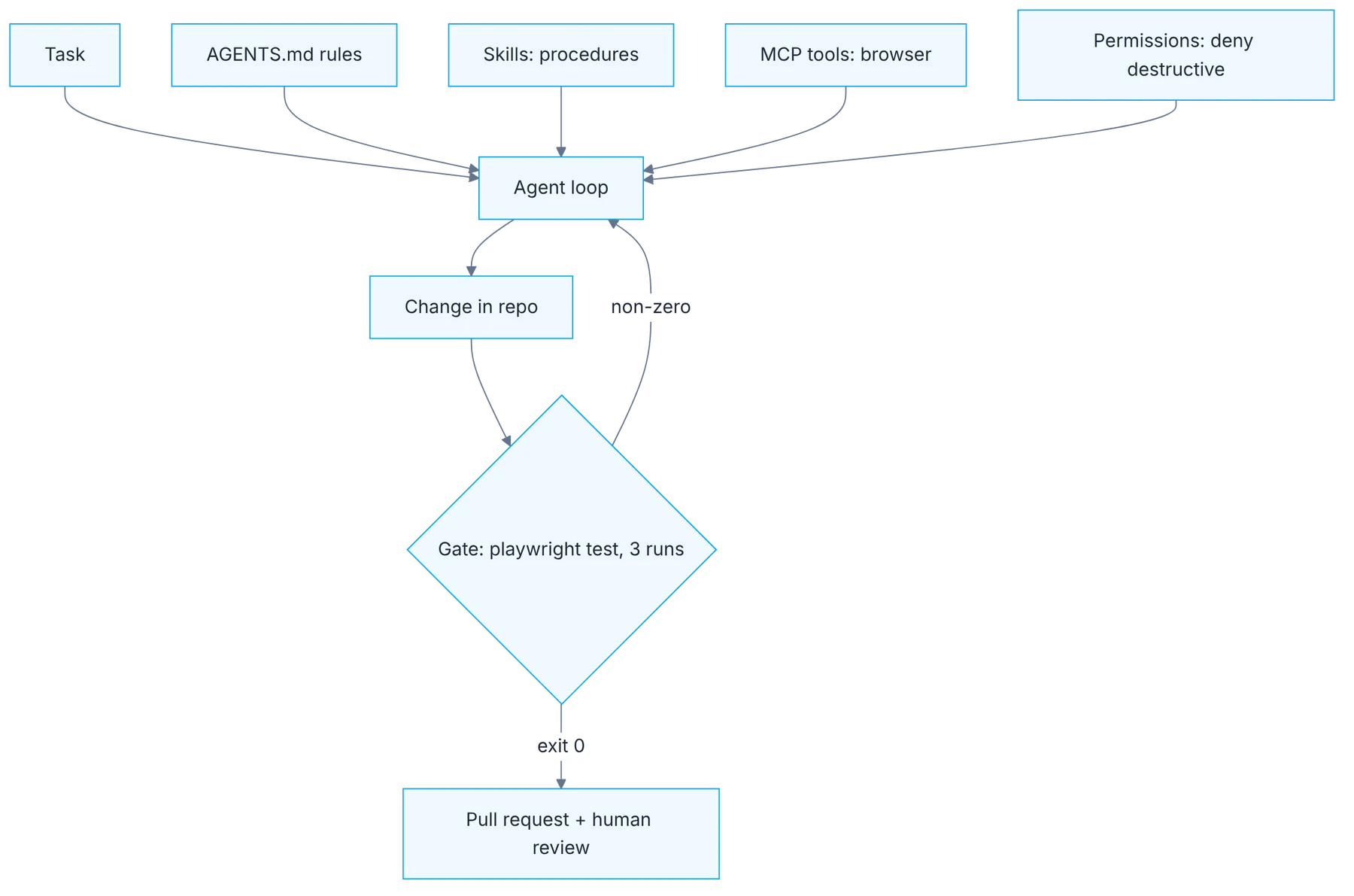
Giving a coding agent access to your automation repository without configuring it is like adding someone to the team without telling them how you work. It will write tests, but with brittle CSS selectors, without your Page Objects, with fixed waits and without running them. The conclusion afterwards is usually that "the agent is no good", when the problem is that nobody gave it context.
This guide builds that context in five pieces: rules, skills, tools, permissions and a gate. Each one answers a concrete failure you'll see when it's missing. The result is a repo where an agent can produce a test that follows your conventions, and where you can confirm it with a command instead of taking its word.
How it fits together
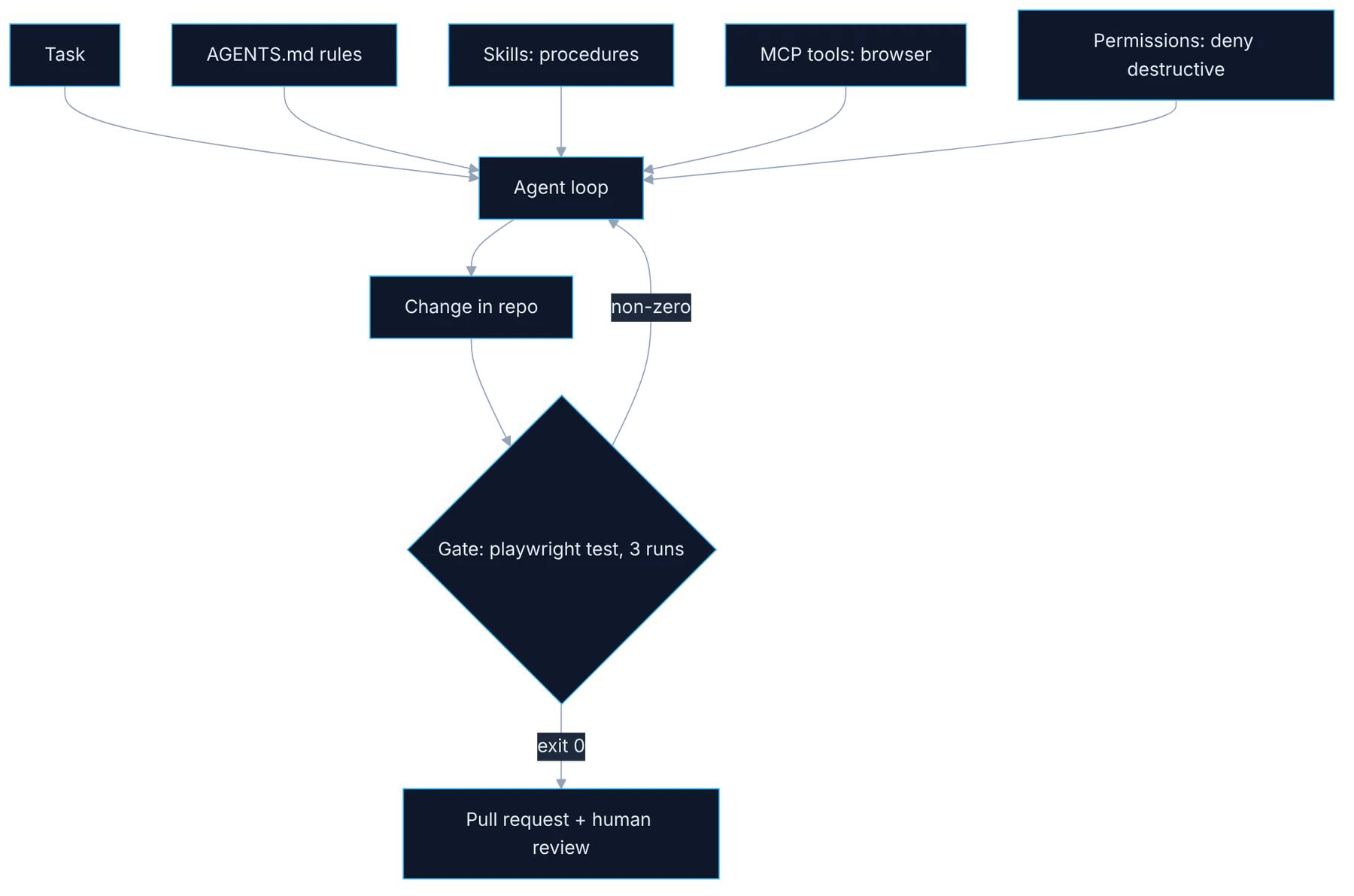
Show the diagram as text
task ──▶ agent loop ◀── AGENTS.md rules
                    ◀── skills (procedures)
                    ◀── MCP tools (browser)
                    ◀── permissions (deny destructive)
              │
              ▼
        change in repo
              ▼
   gate: npx playwright test --repeat-each=3
      ├─ exit 0   ▶ pull request + human review
      └─ non-zero ▶ back to the agent
Requirements
- A repo with Playwright (day 4).
- A coding agent: Claude Code, Copilot agent, Cursor or another.
Setup
# AGENTS.md
## Run
- All tests: npx playwright test
- One file: npx playwright test tests/login.spec.ts

## Conventions
- Locators: getByRole or getByTestId only. No CSS or XPath.
- No waitForTimeout. Use web-first assertions.
- Page Objects live in tests/pages.

## Done means
- The test passes 3 times in a row: npx playwright test --repeat-each=3
- No secrets or real user data in code.
- Never edit an assertion just to make a test pass.{
"mcpServers": {
"playwright": { "command": "npx", "args": ["@playwright/mcp@latest"] }
}
}Step by step
1. Rules at the repo root
Rules: create AGENTS.md at the root with how to run, conventions and what "done" means. With Claude Code, the equivalent file is CLAUDE.md.
The rules file is the first thing the agent reads in every session, so it has to be short and concrete. Three sections are enough: how to run the tests, which conventions to follow and what done means. Under conventions, write what you would flag to a person in a code review: role-based locators, no fixed waits, one Page Object per screen. Avoid paragraphs of philosophy. Each line should be verifiable by looking at a diff, and each new rule should come from a mistake you've already seen.
2. Skills for what repeats
Skills: move repeated procedures into a file, for example "how to write a new test" with your Page Object structure.
Some procedures don't fit in a one-line rule: how to create a new test with its Page Object, how to add test data, how to investigate a CI failure. Write them as separate files, step by step, with a real example from the repo. The agent loads them when the task calls for it, without taking up context the rest of the time. A good sign that something deserves a skill is that you've already explained it twice, to a person or to an agent.
3. Tools to see the application
Tools: declare the Playwright MCP server in .mcp.json so the agent can open the app and look at the real page.
Without access to a browser, the agent writes selectors from memory, guessing the page structure. With the Playwright MCP server it can open the application, read the real roles and names of elements and write locators that exist. Declaring it in .mcp.json inside the repo gives the whole team the same setup. Always point it at a test environment: the tool gives the agent the ability to click, and that includes buttons you don't want it to touch.
4. Permissions before first use
Permissions: deny destructive actions (delete, push, touching .env) and require confirmation to install dependencies.
Define what it can't do before asking for anything. The minimum is denying destructive or irreversible actions: deleting files outside the tests folder, pushing, reading or modifying .env. Installing dependencies should ask for confirmation, because it changes the project for everyone. Permissions don't replace review, but they shrink the possible damage of a mistake. Think of it as the access of someone who just joined: free to propose anything and to execute few things without someone looking.
5. The gate is a command
Gate: "done" is verified with a command and its exit code, not with the agent's summary.
Write in the rules which command defines that the work is done, for example running the new test three times in a row with no failures. And verify it yourself, or have your pipeline do it, by looking at the exit code. An agent can write "all tests pass" without having run them, or having run them with a filter that excludes the failing one. It isn't bad intent, it's an optimistic summary. The difference between a trustworthy flow and one that isn't lies in who runs the final verification.
6. Try it and feed back
Try it: ask for a new test and check whether it honored locators, Page Objects and the three runs. Whatever it missed goes back into AGENTS.md as a clearer rule.
Ask for a new test for a simple flow and check the result against your rules: did it use role-based locators? did it create or reuse the Page Object? did it run three times? Whatever it skipped is an unclear or missing rule. Fix the file, not just the test, because the file is what improves the next session. After four or five iterations the rules reflect how your team really works, and they also help when onboarding people.
Illustrative example
A team asks the agent for an "add product to cart" test with no setup at all. The result uses selectors such as div.card:nth-child(3) button, a two-second wait and no Page Object. They write a twenty-line rules file, a skill for new tests and declare the MCP server. They repeat the request. Now the test uses getByRole, reuses the cart Page Object and the agent runs it three times. It skips one thing: it doesn't add the test to the smoke tag. They add that line to the rules. The third time it comes out complete.
Common mistakes
- Writing a long, generic rules file nobody can verify.
- Fixing the test by hand without updating the missing rule.
- Granting broad permissions "just to try" on a real repo.
- Accepting the agent's summary as evidence that tests pass.
Checklist: how to know it is done
- The rules file has how to run, conventions and a definition of done.
- There is at least one skill with a real example from the repo.
- The MCP server points to a test environment.
- The generated test passed three times in a run you executed yourself.
Where AI fell short
Facing a red test, it tends to weaken the assertion instead of investigating. Forbid it in writing and check it in the diff.
Frequently asked questions
How long should the rules file be?
Whatever can be read in a minute. If it goes past a screen or two, move procedures into skills and leave in the rules only what always applies. A long file doesn't fail visibly: the agent simply respects each line less.
Does it work with any coding agent?
The approach does. File names and the permissions format change by tool, but the five pieces exist in almost all of them. If your team uses more than one agent, keep a single source of rules and reference it from each.
Do rules replace code review?
No. They reduce repeated mistakes and let review focus on what matters: whether the test verifies the right thing. A test that follows every convention can still have an assertion that proves nothing.
Day 9 of 31 of the 31 days of QA + AI series. Commands and versions reviewed in November 2026: rerun them before relying on them, AI tooling changes fast.
← Previous: Your first eval harness with promptfoo
Next: Playwright MCP: an agent that browses your app and proposes tests →